UI/UX · Interaction design · Prototyping
ArcherAI
How do you give useful feedback when looking at a screen is part of the problem?
- When
- Winter term 2025–26
- Project stage
- App concept and browser pose-recognition prototype
- Context
- Solo bachelor project · Internet der Dinge · HfG Schwäbisch Gmünd
Eyes on the target
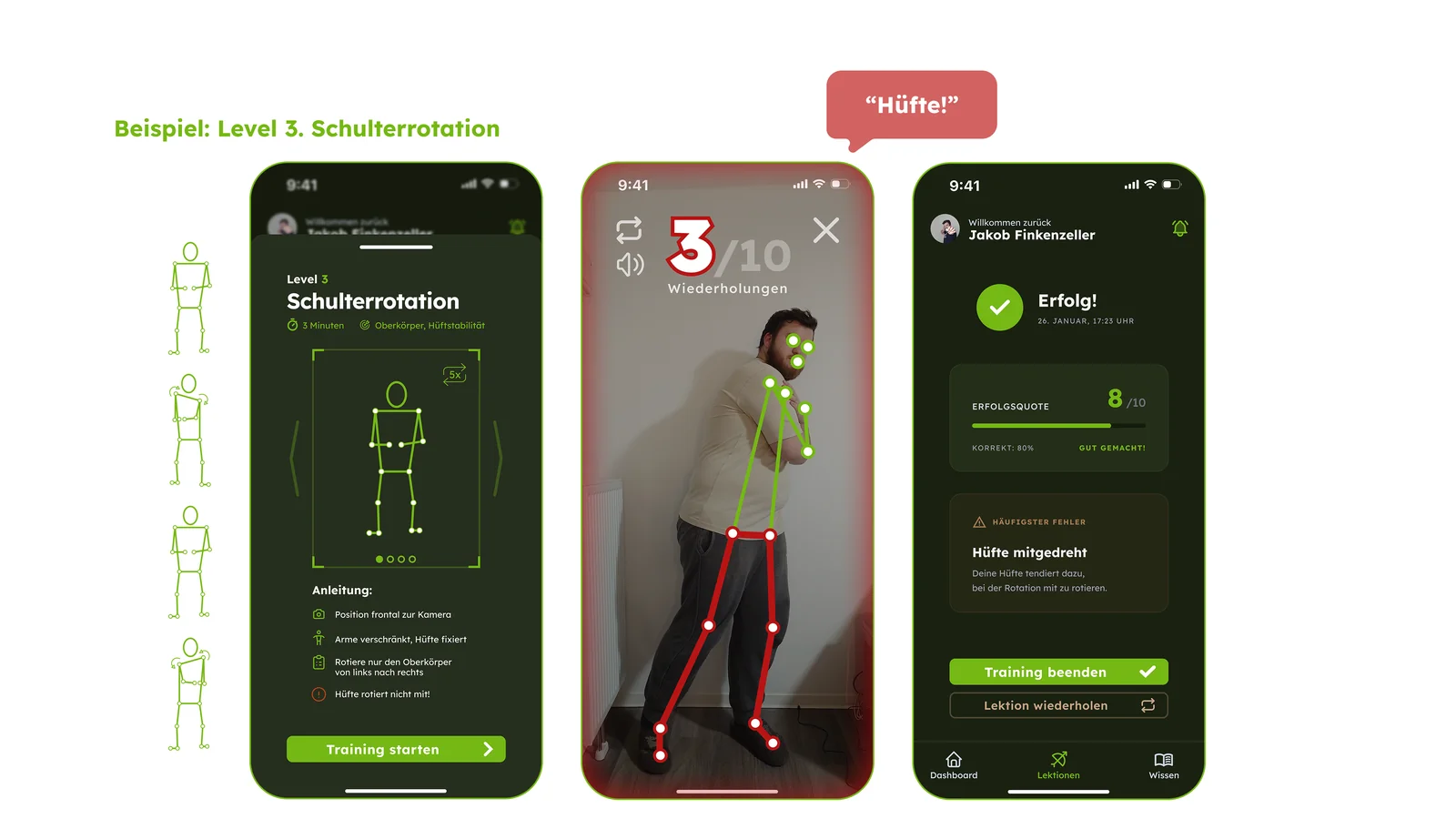
A training interface competes with the thing it supports if it constantly asks the archer to look at a screen. ArcherAI uses sonification, error cues and speech to communicate during dry drills. A simplified skeleton and traffic-light display provide a visual check when needed. The proposed lesson sequence turns this feedback into guided practice, with repeated successful attempts across sessions before progressing.
Where the app stops
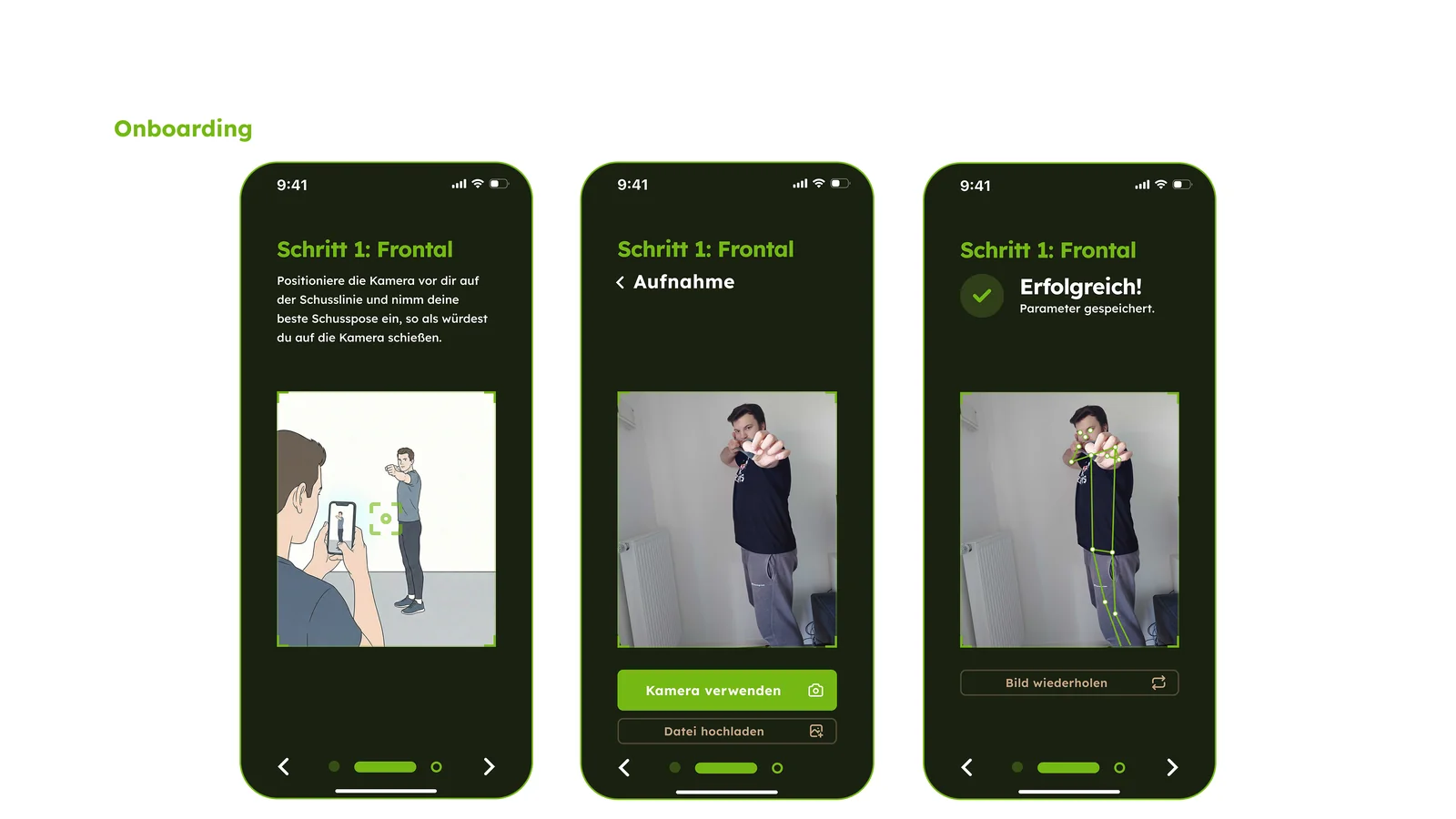
The app is designed to complement a human trainer. It focuses on gross movement during dry drills; fine adjustments and live shooting remain part of in-person training. The onboarding concept uses trainer-provided reference poses to calibrate the experience. This division shapes the interface: the app offers repeatable practice between sessions, while the trainer supplies context that a pose estimate alone cannot provide.
Testing the technical idea
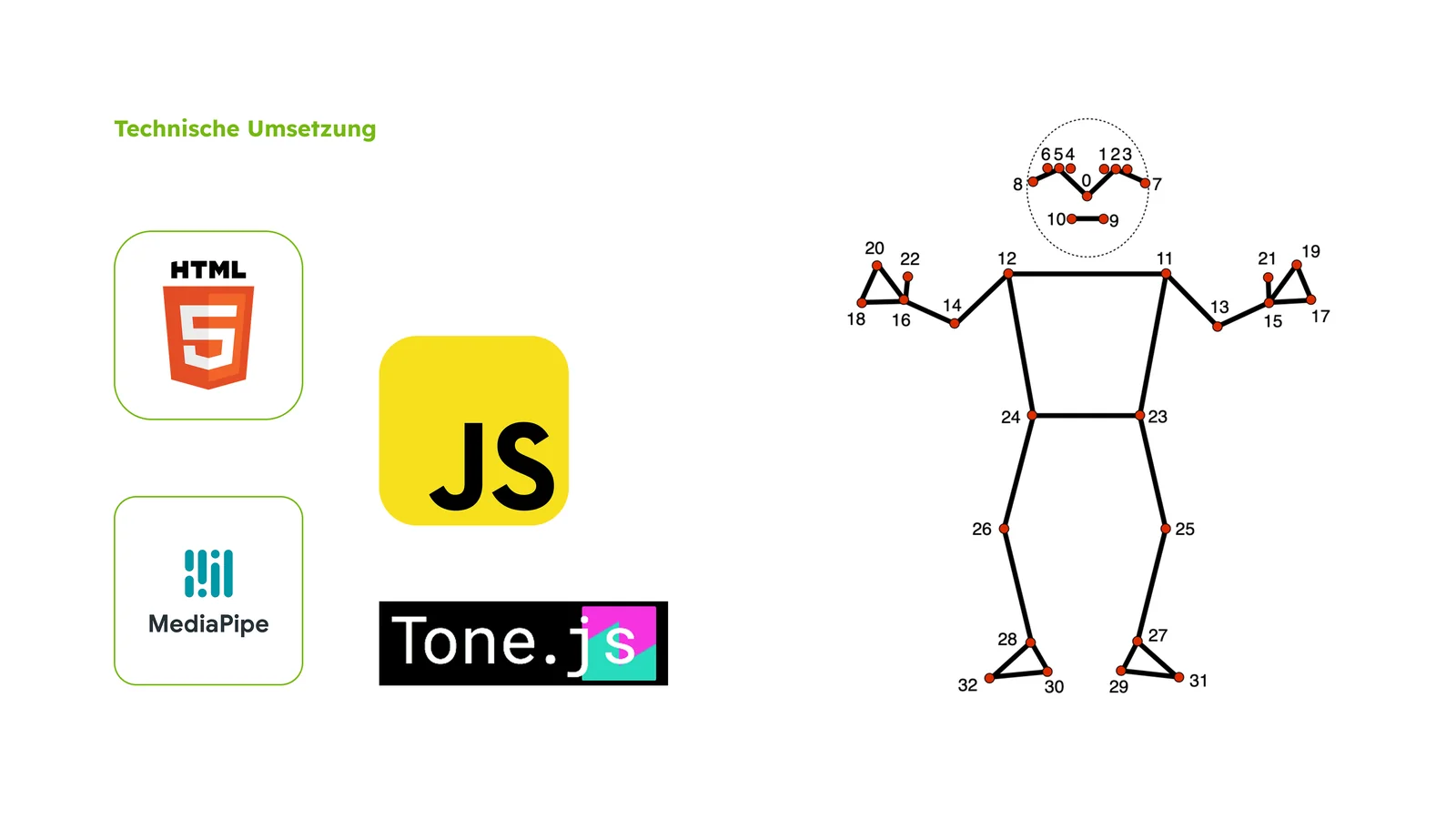
A functional browser prototype explored pose recognition with MediaPipe Pose’s 33 landmarks and audio output using Tone.js. Additional hardware sensors were considered, then dropped after research and interviews to avoid requiring extra equipment. This experiment demonstrated technical feasibility. The broader app design builds on that experiment with onboarding, guided lessons and trainer connections.
What I take from it
The central design decision is to make feedback available without continually redirecting attention. Further evaluation would need to examine recognition reliability and how archers understand and use the audio cues during practice.
The people behind it
Project by
Jakob Finkenzeller
Supervisors
Hartmut Bohnacker · David Oswald